
Booking system development: Bookings that follow your rules, not a SaaS settings page.
Booking system development makes sense when off-the-shelf tools cannot handle your rules, capacity or links to the software you already use. If they can, we will tell you and you can skip the build.
- Taken slots are no longer offered
- Start small and extend in stages
- The data and access are yours
Fewer “is Tuesday free?” emails. You are welcome.

Instead of promises, finished work.
Projects that fit this service. You can open each one.
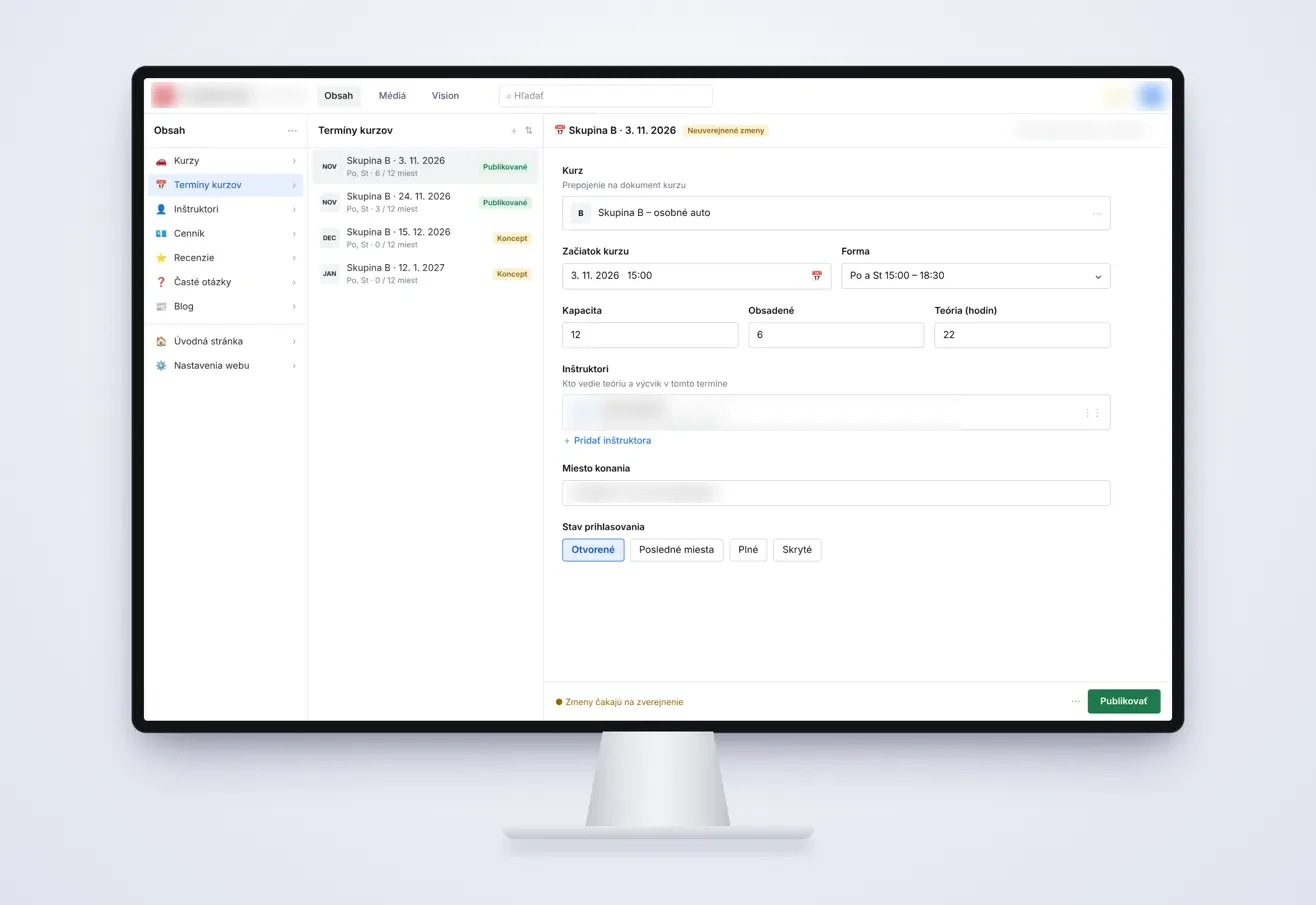
What the system takes off your plate.
Calendar of free slots
Customers pick from what is really free, even late at night on a phone, instead of emailing you to ask.
Capacity and deadlines
You set the places and sign-up deadline for each date, and free places update on the site as soon as you change them.
Email confirmation
The customer gets a confirmation and you get the booking with everything you need to know.
An admin you run yourself
You change dates, prices and free places yourself, with no developer involved.
Card payment if you want it
We add payment up front only where it earns its place, and list gateway fees separately in the quote.
Links to your tools
Bookings connect to your website, email, invoicing or Google Workspace, so nobody has to retype them.
Build your own or rent a SaaS tool?
| Custom booking system | SaaS tool such as Calendly or Acuity | |
|---|---|---|
| Getting started | Screen designs, then development in stages. The exact date is in the quote. | Sign up, configure your services and start straight away. |
| Rules | Built around how you really work, exceptions included. | Whatever the settings allow. The rest happens outside the tool. |
| For your customers | They book on your own website, in your design. | An embedded widget or the vendor’s page, in the vendor’s interface. |
| Integrations | Your website, invoicing or Google Workspace, wired to your process. | Whatever the vendor supports. Anything else gets retyped by hand. |
| Data | The data and access are yours. | It sits with the vendor, and leaving depends on what you can export. |
| Cost | Higher up front, plus any server or payment gateway fees. | Low entry, then a recurring fee for as long as you use it. |
| New features | We add them when your process needs them. | You wait and see whether the vendor builds them for everyone. |
This is a general comparison. SaaS tools differ and change, so check the current plan of the one you are considering before you decide.
A SaaS tool is often all you need.
Go custom when
- Most of your bookings are course places or equipment over several days, not one person’s time.
- You have exceptions and rules that a settings page simply cannot express.
- Someone retypes each booking into invoicing or a spreadsheet afterwards.
- You pay for plenty of features you never open, and the one you need is missing.
Stick with SaaS when
- You run a salon, a practice or a consultancy with one or two calendars and ordinary opening hours.
- You do not mind customers booking in someone else’s interface.
- You are still finding out whether your customers want to book online at all.
- Bookings are so few that a phone handles them comfortably.
Four kinds of booking, four different sets of rules.
Time with a person
A consultation or treatment: one slot, one customer. Appointment booking comes down to how long it takes, who delivers it and when they are free.
A place on a course
Language classes, training or workshops: one date, many people. A course booking system depends on capacity, sign-up deadlines and what happens when places run out.
Equipment for several days
Vehicles or gear on hire: customers book from and to, so you need an availability calendar and often payment up front.
A call-out to the customer
Servicing or installation: the slot depends on who in the team is free, and the job documents have to travel with it.
Free places that are actually free.
The closest project to this topic is a website for a company that sells services on set dates. For each date, the company sets the price, capacity and sign-up deadline in the admin itself, free places appear on the site straight after a change, and enquiries from the form go straight to email. There were more enquiries than the client could handle, and new customers had to be moved to later dates.
To be clear, that is sign-up to dates with capacity, not a calendar of hourly slots. We can do that too: we built the booking on this website ourselves, with a calendar of free slots and email confirmation. Which approach suits you depends on what your customers are booking.
From phone tag to online bookings.
- 01
We map your rules
We go through what gets booked, who delivers it, what happens on cancellation and where the booking needs to go next.
- 02
Designs and a written quote
You see the screens for customers and for your team, and get the price and date before development starts.
- 03
First version
We launch what you cannot do without first, then add further parts step by step.
- 04
Moving data and training
We help move data from spreadsheets or your old system and show your people how to work with it.
Questions before you start.
What drives the cost of a booking system?
Screens, user roles and rules, the connections you need and any data to move. So the amount appears in a written quote, and the balance is due only after handover. Paid third-party services, such as a server or payment gateway, are listed separately.
Can we move over from our current booking tool?
Yes, if your data can be exported. We clean up and move data from spreadsheets or an export of the old system, so you do not start empty. We check what can be moved before we send the quote.
Can it sit inside our existing website?
That depends on what your website runs on. Connecting to your website is part of what we build, and we check how it would work for yours before the quote. If it is on a closed website builder, we will tell you what is possible and what is not.
Do customers have to pay up front?
No, that is your call. The system can simply confirm the slot by email, or ask for card payment up front if you need it, which suits equipment hire, for example. Gateway fees are listed separately in the quote.
What happens after launch?
We fix functional bugs that appear within 30 days of handover free of charge. After that we maintain and extend the system under the care plan we agree on, so new rules can be added later.
Who owns the system and the customer data?
The data and access are yours, and once paid you use the system with no time limit. The quote states how we hand over the source code.
You may also want to see.
Next step
Tell us how bookings reach you today.
Describe what your customers book and how you keep track of it now. If a SaaS tool would do the job, we will say so. We meet in person in Bratislava, otherwise online via Google Meet, and calls are in English or Slovak. Written quote within 24 hours of a short call.